Android, Apple, Blog, Google, Instagram, iOS, News, Tech Talks

Instagram’s New “CLOSE FRIENDS” Feature is here

Ever wanted to send an Insta Story of your face-mask selfie (or drunk selfie on a bad Tinder date) to just your best friends instead of your entire Instagram following? Well, starting today, you can with Instagram’s newest feature: “Close Friends”.


“With Close Friends, you’ll have the flexibility to share your personal moments with exactly who you want — whether that’s inside jokes with your team or showing off your new relationship to your inner circle,” the company said.

To use the new feature, you first have to designate who you want in your Close Friends list. You have complete control over that list, since no one can request to be added.

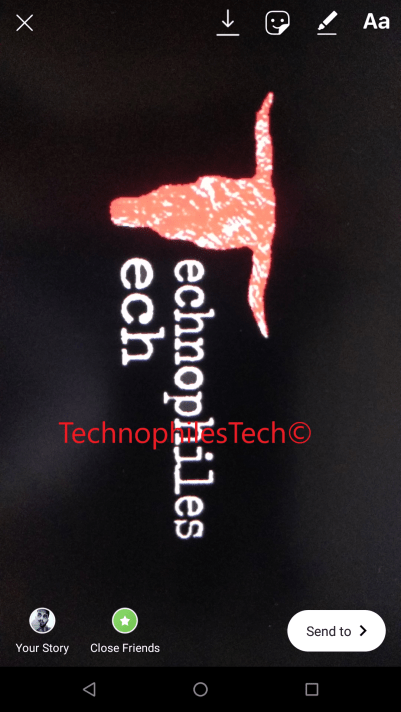
To use, open up the Stories camera and take a photo or video. After you finish your shot, you’ll notice a new green circle with a white star in it. Tap it, and you’ll be brought to the close friends list where you can add people to your inner circle. Instagram will suggest friends to you based on the people you interact with most, or you can use a search box to finish your list. In testing, people typically added around two dozen people, says Robby Stein, product lead at Instagram.

You can also edit the list from your profile page. The list lives in the right-hand panel of your profile, where you can find your Saved posts, Nametag, Your Activity. To access it, simply click on the green “Add” button next to your friend’s handle to include them on your list.

Screenshot_20181201-140602

Now when you go to post a Story, you’ll find a green-starred “Close Friends” button on the bottom left corner of your screen that you can press to send your personal content to your handpicked group — for the moments you want to share but not with your entire following (including you know, your mom’s friend from college or your aunt or your boss).
Screenshot_20181201-135450

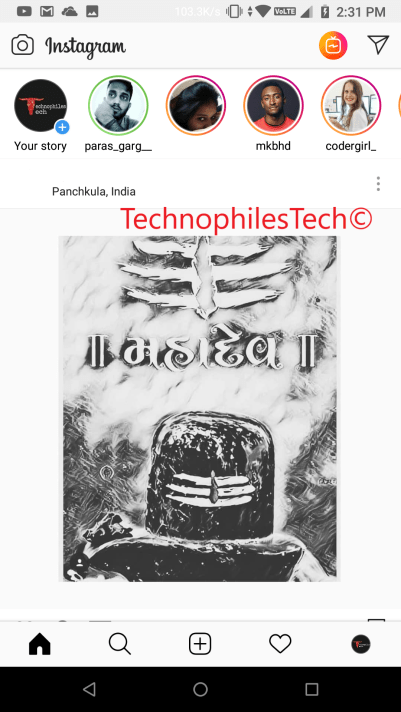
Once you do, your close friends will see a green ring around your story in the tray at the top of the feed. It’s a visual signal that a close friend has shared something more privately with you, and it should stand out from the standard pink-purple gradient rings.
Screenshot_20181201-143150

Friends are never notified that you added them to, or removed them from, your list. Unlike a Finstagram, people can’t request to join your circle of close friends. If they’re on your list, they’ll see the green rings when you post to your close friends; if they’re not, they won’t. But you’ll still maintain “plausible deniability,” Stein says, as most people will simply assume you haven’t posted anything to your close friends group.
 

Android, Apple, Blog, Instagram, iOS, Tech Talks

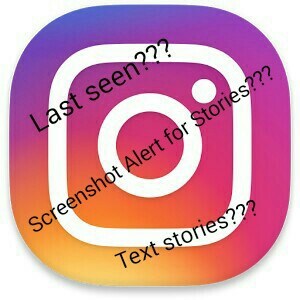
Instagram’s ‘Active At’ Feature on Direct Messaging; Screenshot Alerts for Stories Also Coming Soon

Highlights:-

● Instagram added last seen feature in Direct Messaging (DM) Service

● Instagram testing text-only stories and screenshot alerts for stories

Instagram is now even more of a stalker’s paradise.

Everyone’s favorite photo and video sharing app has just added an “Activity Status” that lets all your friends and followers “see when you were last active” on the app, just like on Facebook Messenger.

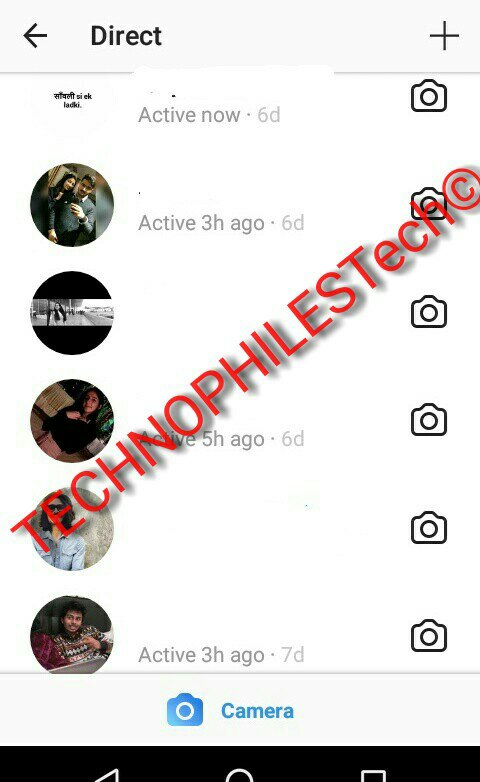
When you open up Instagram Direct, the messaging section of the app, you’ll now see it shows whether your friends are “active” on the app or when they were last active on it.

Interestingly, the feature works even if the person is not following your account. The Activity Status will be shown to accounts you and anyone you message.

For Instagram stalkers — don’t pretend like you don’t do it — this is change that’ll let you keep even closer tabs on who is and isn’t ignoring you on the app.

Did your crush just read your DM (you’ll know because it says “seen” underneath the message) and not respond? Well, by default, you can now see if they’re really ghosting you or not. The new Activity Status is enough to give Instagram addicts even more anxiety .

So Instagram got its own version of “last seen” called “activity status”

Fortunately, there’s a way to stop this creepy activity broadcasting: Go Instagram’s app settings (the gear icon) inside of your profile, and then toggle off the “Show Activity Status.”

This slideshow requires JavaScript.

“When this is turned off, you won’t be able to see the activity status of other accounts.”

Apart from that, Facebook owned – Instagram is testing a new ‘Type’ feature that enables text-only, written stories on the mobile app. While Instagram Stories have always been based on images and video, Instagram has been testing the new Type feature that apparently shows up next to other choices such as Boomerang, Rewind, and Superzoom. Users can choose from different fonts, different backgrounds, and even apply filters on Type. Screenshots of some of the Fonts and Colors that I was able to use are attached here.👇

This slideshow requires JavaScript.

Another report from WABetaInfo suggests Instagram is testing out a security feature on its app. The feature will send notifications to users if someone takes a screenshot of their stories. Instagram currently notifies users of a screenshot only if the image or video is sent on Instagram Direct. Now, like Snapchat, the feature will be expanded to public stories as well.

As Instagram becomes ever more popular, it’s also becoming more and more like Facebook, and that’s, to be honest, kind of scary. The reason why Instagram was great was because it wasn’t Facebook. It didn’t have creepy activity status trackers.

But now that it does, it might be time to consider deleting Instagram off your phone, just like people are doing with the Facebook app.

Deleting Instagram is the new deleting Facebook!!!

If you like our post please share our post!!!

Follow us on Instagram

and Facebook

Air Pods, Apple, Blog, iOS, Science

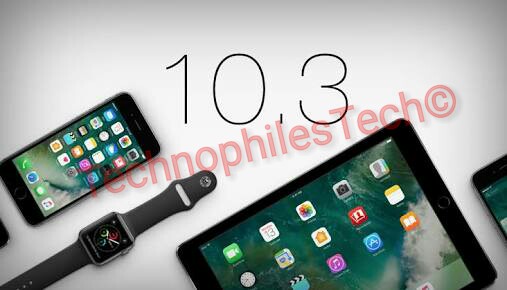
The new iOS 10.3 is here


iOS 10.3 introduces new features including the ability to locate AirPods using Find my iPhone and more ways to use Siri with payment, ride booking and automaker apps.


Find My iPhone

  • View the current or last known location of your AirPods
  • Play a sound on one or both AirPods to help you find them


Siri

  • Support for paying and checking status of bills with payment apps
  • Support for scheduling with ride booking apps
  • Support for checking car fuel level, lock status, turning on lights and activating horn with automaker apps
  • Cricket sports scores and statistics for Indian Premier League (IPL)and International Cricket Council.

CarPlay

  • Shortcuts in the status bar for easy access to last used apps
  • Apple Music Now Playing screen gives access to Up Next and the currently playing song’s album
  • Daily curated playlists and new music categories in Apple Music


Other improvements and fixes

  • Rent once and watch your iTunes movies across your devices
  • New Settings unified view for your Apple ID account information, settings and devices
  • Hourly weather in Maps using 3D Touch on the displayed current temperature
  • Support for searching “parked car” in Maps
  • Calendar adds the ability to delete an unwanted invite and report it as junk
  • Home app support to trigger scenes using accessories with switches and buttons
  • Home app support for accessory battery level status
  • Podcasts support for 3D Touch and Today widget to access recently updated shows
  • Podcast shows or episodes are shareable to Messages with full playback support
  • Fixes an issue that could prevent Maps from displaying your current location after resetting Location & Privacy
  • VoiceOver stability improvements for Phone, Safari and Mail.
Android, Blog, iOS, Tech Talks

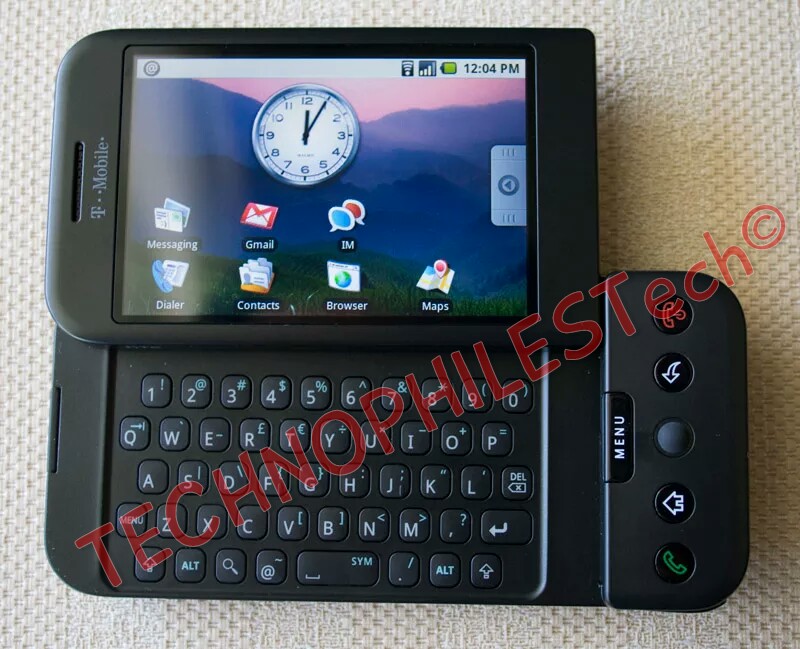
First Android Phone (Android Alpha) v/s First iPhone (iOS 1)

Today we all have these massive phones with big and sharp displays packed in with all these crazy features but did u ever thought what did the originals looked like? Steve Jobs considered android as a stolen product and wanted to destroy android for copying the iPhone. So let’s see which one was better at that time and who copied who (will get to that later read till the end!).

Display:

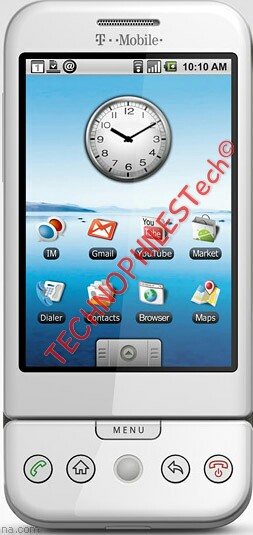
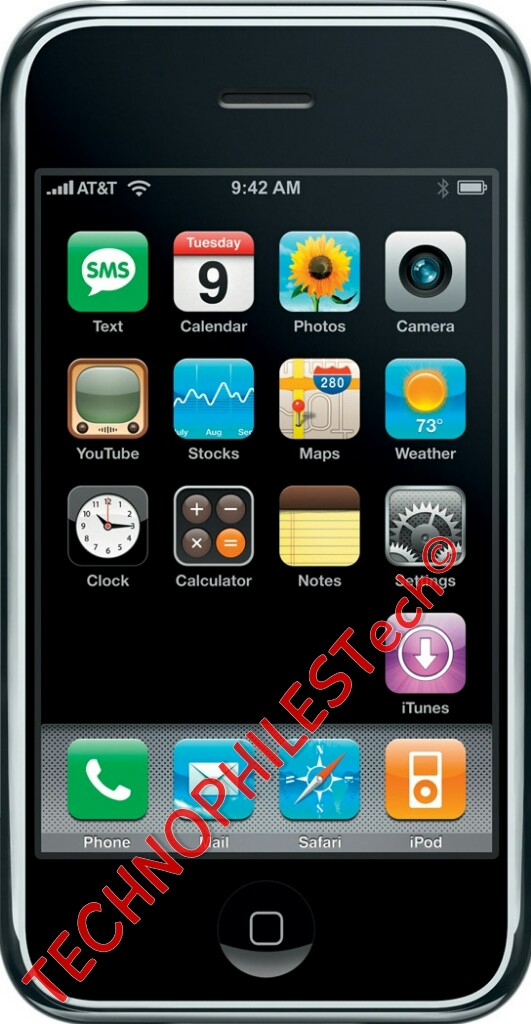
Talking first about the display both these devices had a big or massive displays (Massive by 2008 standards) (let’s not forget about Nokia and Moto phones popular as smartphones at that time). The first version of iPhone was quite big with a 3.5 inch display. On the other hand Google G1 had a smaller display that was a 3.2 inch display but both of them had the same resolution of 320×480 which meant that Google G1’s display had more PPI. On the other hand Google G1 display had a TFT panel due to which it looked weird and had bad viewing angles while iPhone was using the HVGA which looks much nicer than what was found on G1.

Design and Hardware:

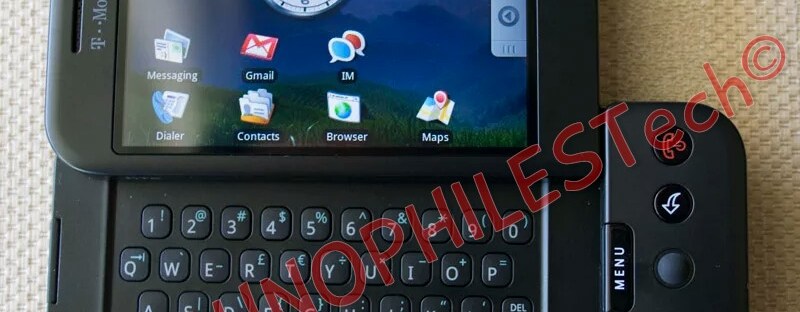
The iPhone and the G1 had a night and day difference in terms of hardware. The iPhone was twice as thin as its competitor. iPhone had only one input method whereas G1 couldn’t actually make up its mind what it wanted to be- it wanted to be fully touch screen phone or it wants to be navigated like a blackberry with scroll wheel or an actual keyboard to control only some things like typing when you get bored with other two of them. It did seem like an identity crisis because it really didn’t know what it really was but still people loved to have so many choices whereas apple on the other hand used only a touch display for everything and had no stylus like the one found on the Note series these days. On the iPhone there was a tiny or miniscule 2MP camera on the back with the bottom made up of plastic with the antenna bands. The back was non removable whereas G1 had a removable back and it could accept a SD card of 8 GB. The feature which today the iPhone7 doesn’t have was present on the earlier versions of iPhone ….. Yes I am talking about the headphone jack. The first iPhone had a built in headphone jack. Yay no adapters! But take that back actually you did need one because it was recessed so that one could use only apple-branded earphones. G1 did had a unique design which made it look like a J-shaped device and made it more comfortable in hand but it couldn’t stand the test of time like the iPhone.

Software:

Even though iPhone won the hardware race with its nice design by quite a margin but the winner of the software race is simply android because of its more advanced features. This thing was pretty crazy that on android you couldn’t set a lock screen wallpaper whereas on the iPhone you couldn’t set the background of the home screen(it had a plain black background). You could even set a pattern unlock on the android. One more thing which the iPhone didn’t had at that time was pages. If you tap on any app it would simply open the app whereas if you do so on android one could simply move and rearrange the apps as per your liking and create new pages. Multitasking which we take for granted these days didn’t even existed at that time on the iPhone which works very well on the newer versions. This where android steps up as there was a way to multitask in the G1 by pressing and holding the home button. One more thing which didn’t exist at that time were personal assistants-no Siri, no Google Assistant. Also the very first version of android didn’t have an app drawer where all the apps were organized. There was no notification center on the first ever iOS whereas android had a built in notification center. Adding widgets, changing wallpapers, adding app shortcuts-customization like these were only on android at that moment. One biggest thing iPhone didn’t had at that time was the app store. G1 did came with a play store which was known as ‘Market’ at that time.The first ever version of android didn’t have a virtual keyboard which did came in later versions of android. Even though virtual keyboard came later, it just didn’t feel good, nice and natural as the iPhone’s virtual keyboard felt.

Now the thing I was talking about in the starting. Rumors were that Google tried to copy apple’s iPhone design. The first design that came out before they saw the iPhone was similar to what Blackberry, Nokia etc. phones looked like- a small 1.0 inch display with a QWERTY keyboard at the bottom and all business feature like mail to call it a smartphone of that time. But when they saw the original iPhone they just came to know that their blackberry rip-off couldn’t compete with the iPhone so they had to go ahead and re imagine and bring a touch screen to it.

I hope you enjoyed this long journey into the past where we all learnt how the first version of smartphones which we use today looked like….

Please hit that like button if you liked the article and do share it with your friends and do check out our blog for other amazing articles.